


 2025-12-01
 BEST
BEST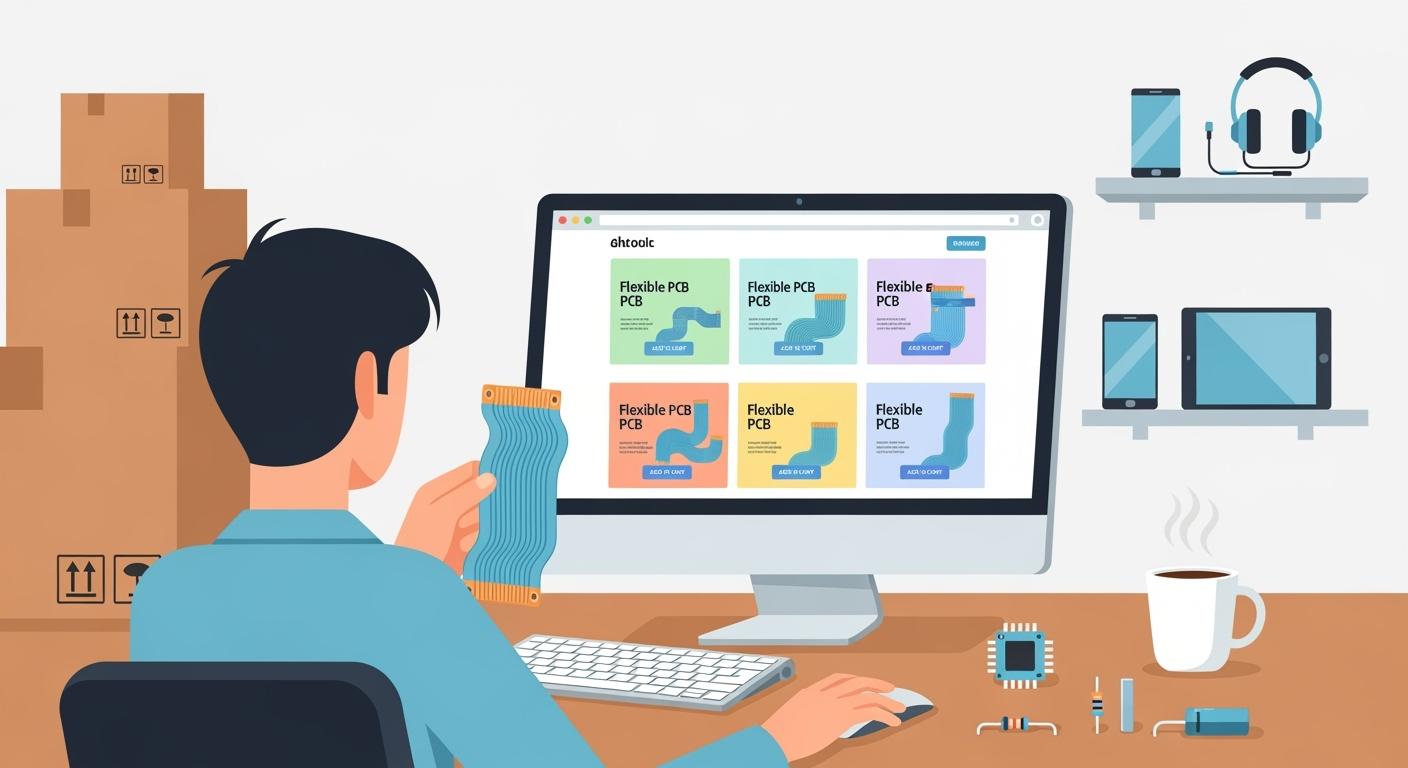
You can order flexible pcbs online by following easy steps. First, you decide what your flex project needs. Then, you look for a good manufacturer for your flex job. Check what they can do and ask for flex samples if you want. Get price quotes for your flex order. Make sure their supply chain works well and ask about help for flex products. See how they check flex quality. Look at contracts and guarantees, and think about visiting the factory if your flex order is big. Checking references helps you know if your flex supplier is honest. When you feel sure, you pick your flex supplier, get your flex design files ready, pick your flex options, use the online quote tool, and send your order. This way, you avoid mistakes and get the best results for your flex project.
Key Takeaways
- Know what your project needs before you order flexible PCBs. This helps you pick the right details and avoid errors.
- Use an online quote tool to see prices and choices for your flex PCB order. This tool makes ordering easier.
- Get all your design files ready and check them carefully. If files are missing or wrong, it can cause problems and slow things down.
- Pick the best materials and thickness for your flex PCB. This affects how bendy, strong, and good your PCB is.
- Follow design rules to stop damage and help your flex PCB last longer. Planning well saves time and money.
What Are Flexible PCBs?
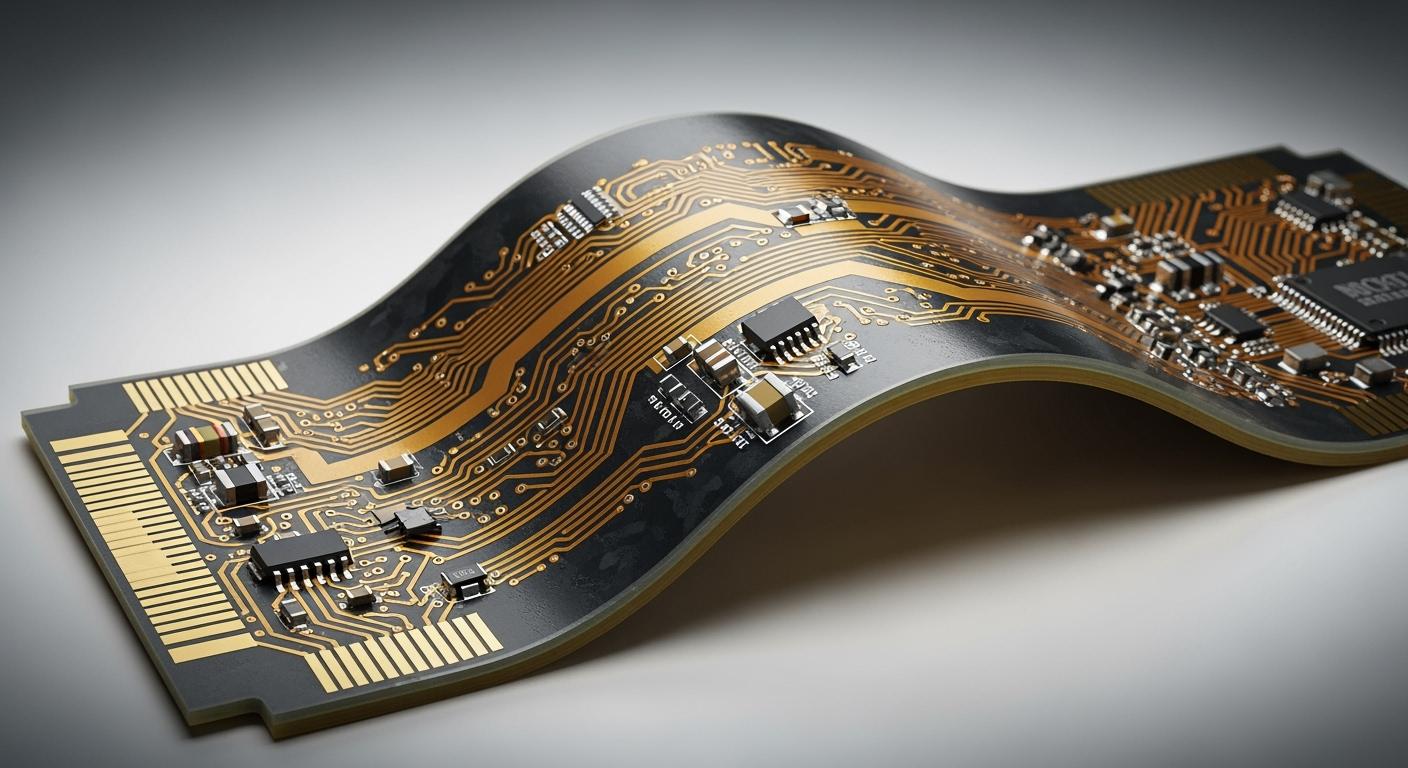
Flexible PCBs let you make circuits that can bend and twist. You can use them in small spaces or where the circuit must move. These boards are not stiff like regular ones. A flex pcb uses special materials so you can shape it for your project.
Key Features of Flexible PCBs
A flex pcb is different from a rigid board in many ways. The table below shows how they are not the same:
| Characteristic | Rigid PCBs | Flexible PCBs |
|---|---|---|
| Base Material | Non-conductive substrate, usually fiberglass | Flexible materials like polyimide |
| Flexibility | Strong and rigid | Can bend and fold into various shapes |
| Conductors | Electro-deposited copper | Rolled annealed copper for flexibility |
| Manufacturing Process | Uses a solder mask layer | Uses coverlays to protect exposed circuits |
| Cost | Generally less expensive | More expensive but adaptable to compact spaces |
| Durability | Higher strength | Absorbs vibrations and withstands bending cycles |
| Weight | Heavier due to thickness | Lighter, suitable for smaller components |
| Resistance | Susceptible to damage from heat and chemicals | Better resistance to high temperatures |
| Design Complexity | Suitable for basic devices | Ideal for compact and innovative products |
A flex pcb is lighter and can handle heat better. It fits into tight spots. These things make it good for new gadgets.
Types of Flex PCB
There are different types of flex pcb you can pick. Each one works for a different job:
- Single-sided flex pcb has one layer of substrate and one copper layer.
- Double-sided flex pcb has patterns on both sides for harder designs.
- Multi-layered flex pcb has many copper layers joined by holes, so you can make advanced circuits.
Flex pcb materials include polyimide, polyester, and PTFE. Polyimide is strong and works well. Polyester can handle some heat and chemicals. PTFE is great for chemicals and high-frequency jobs.
Advantages and Drawbacks
A flex pcb gives you many good things. The table below shows the main pros and cons:
| Advantages | Drawbacks |
|---|---|
| Flexibility: Can be bent and twisted to fit various shapes. | Initial Higher Cost: More expensive to manufacture. |
| Space and Weight Efficiency: Lighter and slimmer than rigid boards. | Limited Component Densities: Restrictions on size and placement. |
| Replaces Components and Cable Harnesses: Reduces need for additional parts. | Damage Prone: More susceptible to handling damage. |
A flex circuit board saves space and is not heavy. You do not need as many cables or connectors. But it can cost more and might get damaged if not careful. If you plan well, you can get the most out of these boards.
Applications of Flexible PCB

Flexible PCBs are used in many areas. You see them in things you use every day. These boards help make products lighter and smaller. They also make products work better. Here are some main ways flexible PCBs are used.
Consumer Electronics
Flex boards are found in most electronics people buy. They make up over half of flexible PCB uses. Phones, tablets, and wearables need flex circuits for thin designs. For example, the Samsung Galaxy Fold uses flex PCBs for its folding screen. These boards let circuits bend and fit in small spaces. Flex circuits help make foldable screens and connect display parts. In wearables, flex PCBs help devices fit your body and feel comfortable.
Tip: Flex PCBs help you make gadgets that are small and strong. This makes them easier and better to use.
Automotive and Medical Uses
Flex PCBs are important in cars and medical tools. In cars, flex circuits help save space and lower weight. These boards link electronic parts and make cars work better. Medical devices use flex PCBs because they bend and fit the body. You see them in pacemakers, implants, and health monitors.
| Industry | Applications |
|---|---|
| Medical | Pacemakers, implants, portable tests, imaging tools, drug delivery, wearable monitors |
| Automotive | Electronic parts, wireless controls, handheld monitors, defibrillators |
Flex PCBs help make health monitors and blood sugar testers. They also work in devices put inside the body, like heart and nerve tools.
Industrial Applications
Flex PCBs are used in robots and factories. These boards connect sensors and motors in robot arms. Flex circuits can handle lots of movement and shaking. In wearable robots, flex PCBs bend to fit the body and make them comfy. Drones and mobile robots use flex boards to save space and cut weight.
- Robot arms: Flex PCBs link moving parts and handle motion.
- Wearable robots: Flex circuits fit the body for comfort.
- Drones and robots: Flex PCBs save space and make them lighter.
Flex PCBs help make strong, thin, and light systems for industry. You can build better machines without losing quality.
Order Preparation for Flex PCB
Design Files Needed
You need to get some files ready before you order a flex pcb. These files tell the manufacturer how to make your flexible circuit board. You should collect these files:
- Bill of Materials (BOM)
- Centroid data (Pick and Place file)
- Gerber or ODB++ files
- Drill files
- Board outline file
- Mechanical files (including cut-outs or internal routing)
- Assembly drawings (if necessary)
- Special requirements documentation (if applicable)
Check every file to make sure it is correct. If you forget a file, your flex pcb might not work right. Always look over your files before you upload them.
Materials and Structure
Picking the right materials for your flex pcb matters a lot. The table below lists some common materials and what they can do:
| Material | Heat Resistance | Flexibility | Moisture Resistance | Cost Level |
|---|---|---|---|---|
| Polyimide (PI) | Excellent | Ideal for dynamic flexing | Good | Medium |
| Polyester (PET) | Moderate | Suitable for static use | Poor | Low |
| Liquid Crystal Polymer (LCP) | Good | Limited flexibility | Excellent | High |
Copper foil is the main part that carries electricity in a flexible circuit board. Rolled Annealed copper is best for flex pcb designs that bend a lot. Electrolytic copper is good for boards that do not bend much. Adhesives like PI resin, PET resin, and modified epoxy resin stick the copper to the base. These materials make up your flex pcb.
Basic Design Guidelines
There are some simple rules to follow when you design a flex pcb. These rules help stop damage and make your board last longer.
- Use smooth curves, not sharp corners, in your design.
- Do not put holes or parts where the board will bend.
- Run conductors across the bend, not along it, in bend areas.
- In multi-layer flex pcb designs, do not line up conductors.
- Put small conductors in the middle of the bend.
- Know how many times your flex pcb will need to bend.
- Choose materials that meet IPC rules for moisture, fire, and heat.
- Plan your layout to lower stress on the board.
- Follow IPC rules for design, making, and testing.
Tip: Good planning and smart flex pcb design can save you money. Always double-check your files and materials before you order.
Customization Options for Flexible PCBs
You can pick many options when you order a flex circuit. These choices help your flex board fit your project. You can change layers, materials, thickness, stiffeners, finishes, copper, and testing.
Layers and Types
You can choose a single-sided flex pcb for easy circuits. It has one copper layer and works for simple jobs. If you need harder designs, pick a double-sided flex pcb. It has copper on both sides. For tough jobs, use a multi-layered flex pcb. It stacks many copper layers. More layers cost more and are harder to make. Extra layers take longer to build and may cause more mistakes. Each layer can add 15–25% to the price. A six-layer flex board can cost 70% more than a two-layer one.
Material and Thickness Choices
Flex boards use polyimide, polyester, and liquid crystal polymer. Polyimide is liked because it resists heat and bends well. You can pick how thick the base and copper are. Thin copper, like 0.5 oz or 1 oz, bends easily and is good for lots of bending. Thick copper, like 2 oz or more, carries more current but bends less. Thin copper saves money and helps with small parts. Thick copper costs more and needs a bigger bend. The right thickness makes your flex board last longer and work better.
| Copper Thickness | Flexibility | Current Capacity | Example Use Case |
|---|---|---|---|
| 0.5 oz/ft² | High | Low | Good for lots of bending |
| 1 oz/ft² | Moderate | Moderate | Works for low-power circuits |
| 2 oz/ft² or higher | Low | High | Good for high-current jobs, but bends less |
FPC Stiffeners and Finishes
Stiffeners help your flex board stay strong. You can use them to support connectors, solder joints, and important parts. Stiffeners stop damage when you put the board together or use it. They help your board keep its shape in busy designs. Surface finishes protect your board from water and heat. Finishes also help make good electrical connections.
- Stiffeners help connectors.
- They make solder joints stronger.
- They stop bending near key parts.
- Surface finishes keep out damage from the environment.
Copper, Testing, and Extras
You can pick how much copper your board has. Heavy copper, starting at 2 oz/ft², is needed for power electronics and military tools. It lets more current flow but bends less. You may need to balance copper in all layers for best results. Testing can check electrical, heat, and mechanical strength. Class 3 testing uses strict rules and full records. You can ask for extras like coverlays for safety and special tests for tough places.
| Customization Option | Description | Impact on Performance |
|---|---|---|
| Base Material | Polyimide is chosen for heat and bending. | Handles bending and high heat. |
| Conductor Material | Copper, especially rolled annealed, is used for good flow. | Bends better in moving jobs. |
| Coverlay | Polyimide coverlay keeps circuits safe and flexible. | Makes the board last longer and cools better. |
| Stiffeners | Added for support in key spots. | Stops damage when building and using. |
Tip: Picking the right flex options makes your board work better and last longer. It also changes the price and how well your board fits your project.
How to Order Flexible PCBs Online
Ordering flexible pcbs online is easy if you follow steps. You can use online quote tools to help you. These tools show you what to do next. They help you pick options, check prices, and send your order. Here is how you can order flex pcbs online:
Using a Quote Tool
Most companies have an online quote tool for flex orders. This tool lets you put in your project details and see prices right away. You can follow these steps to use the tool:
| Step | Description |
|---|---|
| 1 | Upload your PCB design file. |
| 2 | Adjust core parameters such as dimensions, layer count, and material. |
| 3 | Select advanced parameters like minimum trace/space and impedance. |
| 4 | Review the real-time quote generated by the tool. |
| 5 | Optimize panelization for cost efficiency. |
| 6 | Finalize your order and proceed to checkout. |
First, upload your flex design file. Next, enter the size, number of layers, and material type. You can also set advanced options if you need them. The tool changes the price as you pick things. You can see how each choice changes the cost. If you want to save money, pick simple options or change panelization.
Tip: Always check your answers before you go on. Small mistakes in the quote tool can cause delays or extra costs.
Selecting Specs and Reviewing Cost
You need to pick the right specs for your flex pcb. Every choice can change the price and how fast you get it. Here are some things that change the cost of flexible pcbs:
- Special needs, like odd shapes or extra tests, can make it cost more and take longer.
- The material you choose will change the price. Polyimide costs more than polyester.
- Hard designs with many layers or tight spaces cost more.
- Extra things, like stiffeners or special finishes, add to the price.
- Surface finishes, like HASL or ENIG, cost different amounts. ENIG costs more but protects better.
The quote tool shows how each option changes the price. To keep costs low, pick normal materials and easy designs. Do not add things you do not need. If you need special features, know how they change the price.
Note: Listing all your needs when you get a quote helps you avoid surprises later. The more details you give, the better your quote will be.
Uploading Files and Submitting
You must upload the right files for your flex order. Companies accept different file types for flexible pcbs. Here is a table with the most common formats:
| Format | Used For | Contains | Good For | Common In |
|---|---|---|---|---|
| Gerber | Production layers | Image data per layer | All board types | Almost everywhere |
| Excellon | Drilling | Hole locations/sizes | Boards with holes | All board shops |
| ODB++ | “All-in-one” prod. | Nearly everything | Complex, high-volume | Advanced factories |
| IPC-2581 | Unified process | Everything + more | Complex, modern | Emerging factories |
Check your files before you upload them. Make sure your Gerber or ODB++ files match your design. Add drill files if your flex pcb has holes. If you use IPC-2581, make sure your company can use it.
After you upload, look at your order summary. Check the specs, price, and delivery time. If everything is right, send your order. Most sites will send you a confirmation and let you track your order.
Tip: Save your order details and confirmation. This helps you fix problems fast if they happen.
Ordering flexible pcbs online is simple when you use the right tools and follow each step. You get the best results by getting your files ready, picking the right specs, and checking your order before you send it.
Beginner Tips and Common Mistakes
Key Terms to Know
When you start working with flex, you will see many new words. Knowing these terms helps you talk with suppliers and understand your project. Here are some important words you should learn:
- Flex Circuit: This means a circuit board that bends and twists. You use flex in places where space is tight or movement happens.
- PCB Fabrication: This is the process of making printed circuit boards. You need to know how flex gets made so you can plan your order.
- DFM (Design for Manufacturing): These are rules that help you design flex so it is easy to make. Following DFM helps you avoid problems and extra costs.
Tip: Learn these words before you order. You will find it easier to talk with your manufacturer and avoid confusion.
Avoiding Errors
Many beginners make mistakes when ordering flex. You can avoid problems if you know what to watch for. Here are common errors and how to prevent them:
- Ignore bend radius rules. If you do not follow the right bend radius, your flex may break after a few bends.
- Pick the wrong material. If you choose flex materials only by price, your board may not last or work well.
- Use sharp corners in trace routing. Sharp angles can cause stress and damage your flex.
- Skip DFM guidelines. If you do not design for manufacturing, you may face higher costs and delays.
- Forget about the environment. If you do not think about heat, moisture, or sunlight, your flex may fail early.
- Do not test enough. If you skip testing, you may miss problems that show up later.
- Stack layers poorly. Bad layer stack-up can cause signal and strength issues in your flex.
- Miss design rule checks. If you do not run DRCs, you may find errors only after production starts.
Note: Always review your design and talk with your supplier. Careful planning helps you avoid costly mistakes with flex.
Handling and Storage
After you receive your flex, you need to store and handle it the right way. Good care keeps your flex working well and stops damage.
- Store flex in a dry place with stable temperature between 15°C and 30°C. Keep humidity between 40% and 65%.
- Avoid damp spots. Use desiccants to control moisture.
- Cover flex to keep out dust.
- Keep flex away from sunlight. Sun can damage the material.
- Use anti-static bags or foam sheets for unused flex.
- Place flex in ESD-free racks to stop static discharge.
- Label each flex unit with model, batch, and date.
- Check stored flex often for signs of damage.
Tip: Careful handling and storage protect your flex and help your project succeed.
You can order flex PCBs online if you follow some easy steps. First, get your flex design files ready and pick the right options. Use this guide to help you avoid mistakes. Here are some tips for good results: Keep the number of layers low to save money. Use less copper for your first flex order. Make your design simple and use normal materials. Make small batches and do less prototyping. After that, set up your flex layout, draw traces, add power planes, and check your design. Make Gerber files for your flex project. If you have questions, send us an email or use our contact form. Try the online quote tool to see how your choices change the price and delivery time.


.png)
.png)
.png)
.png)

.png)